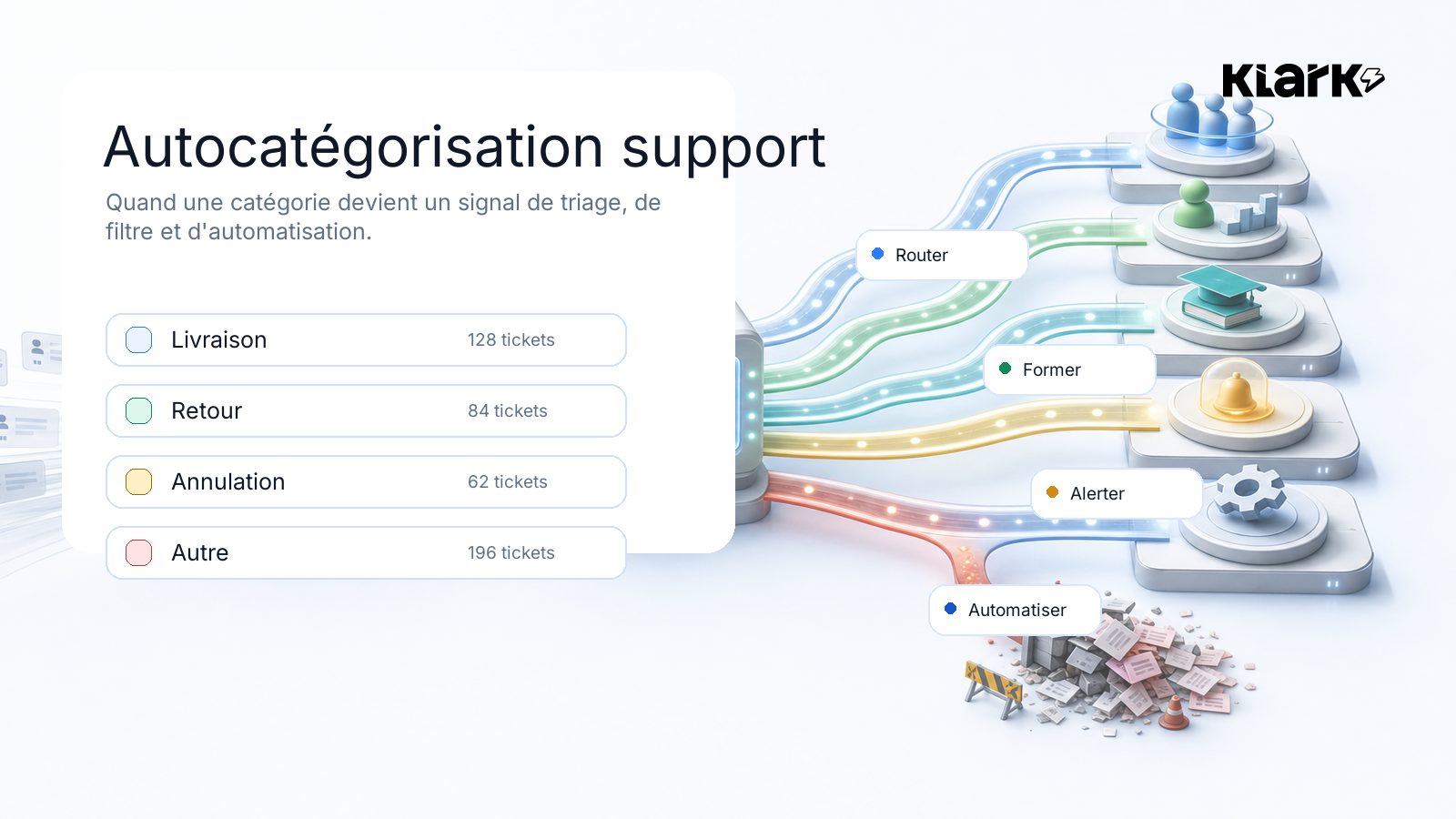
A support category is never just a checkbox.
At first, it’s used to organize tickets. Then it starts deciding what can be routed, filtered, organized, prioritized, or automated.
This is where self-categorization becomes a serious issue: if the signal is unclear, the entire process behind it becomes unclear.
Many teams treat categorization as a reporting issue.
They want to know how many tickets are about delivery, how many are about returns, how many are about payment, and how many fall under "other."
It's useful. But it's too small.
In a modern customer service department, a category isn't just for organizing the past. It starts to determine what you can do next.
• It can help route a ticket.
• It can help distribute the morning workload.
• It can assign simple cases to agents who are still learning the ropes.
• It can explain why an issue is escalating.
• It can filter a knowledge base.
• It can exclude certain cases from automation.
• It may, in the future, enable or disable the option for an automated response.
That’s why a poorly chosen category doesn’t just break a dashboard. It can disrupt sorting, automation, and agents’ confidence.
The latest customer feedback on self-categorization all points to the same conclusion: it’s not some magical solution—it’s very practical.
At IZIPIZI, the feedback is clear: some cancellation requests end up in return procedures, and cancellation requests may appear in Preparation error, and Other it captures too many cases that should be better separated.
That's exactly the kind of signal that seems small but makes all the difference.
Because a category that’s too broad gives the impression of control. In reality, it obscures the work that needs to be done.
At Le Temps des Cerises, the issue was different: Level 1 and Level 2 nodes were duplicated, some of the syntax was too technical in terms of the tool or API, and we had to clean up the tree so that the algorithm could still understand the intended structure.
At Bonsoirs, the team has added categories such as Spam / Advertising, Automatic reply and Partners / Internal Emails, then updated a tree with 31 active categories.
This isn't just a cosmetic detail.
This is the point at which a supporting taxonomy begins to be usable.
The classic pitfall arises when the category is designed solely for reporting purposes.
We want to understand everything.
So we want to measure everything.
So we create categories for every nuance: the main issue, the sub-issue, the borderline case, the rare case, and the case that might one day come up in a monthly committee meeting.
On paper, it sounds reassuring. In real life, it results in a tree that no one uses properly.
We've seen trees with as many as 70 categories. That's a lot for a human to handle. It's also a lot for a machine, because many of the categories end up overlapping.
For an agent, the outcome is predictable: they have to make a quick choice from an overly long list to feed into a report whose purpose isn't always clear.
And when the list gets tedious, the "first-item syndrome" sets in.
The agent isn't really sure what to choose. He's in a hurry. The categorization seems like a bureaucratic formality to him. He clicks on the first plausible option, or on Other, and move on to the next ticket.
The machine has one very simple advantage: it never gets tired. It doesn't categorize any less effectively at 6 p.m. just because it's been a long day. It doesn't pick the first item just because it was forced to fill in a field.
But this advantage only holds true if you provide it with a taxonomy designed for action, not a bloated reporting tree.
As long as categories are used solely for viewing a dashboard, their accuracy is important but not critical.
As soon as they are used to trigger or block actions, the level of complexity changes.
A ticket that is categorized too broadly may be routed incorrectly.
A ticket that isn't a genuine support request may lose its value as a useful reference if it isn't properly categorized.
A sensitive request may fall within an automation scope that should have excluded it.
A mislabeled pattern may be misunderstood by the algorithm, then corrected manually by agents, and ultimately lose all credibility.
That's where things get very real for Klark.
Categories are not merely the output of analysis. They are gradually becoming a basis for decision-making.
And that is precisely what we see in recent updates: ensuring the accuracy of the contact reasons sent to the helpdesk, preventing truncated questions from leading to incorrect categorization, clarifying which signals are used for auto-reply rules, and then deciding which reasons can be included in or excluded from automation.
Simply put: if the category is to serve as a call to action, it must be reliable.
For a demanding support team, the issue isn’t simply about setting up a bot. The real question is which signals we’re willing to let drive triage, filtering, and automation.
There’s a lot of talk about models. We should talk more often about taxonomy.
A poor taxonomy sets the model up for failure.
• If two categories overlap, the AI is unsure.
• If the titles are too technical, she’s wrong.
• If Other It's like a trash can—she'll put too much stuff in it.
• If levels 1 and 2 are inconsistent, agents will no longer know whether the problem stems from Klark, the help desk, or the initial tree.
The real work is less flashy: naming things correctly, separating cases that need to be separated, keeping categories actionable, removing duplicates, and verifying what agents correct.
It’s not the most visible part of an AI project. But that’s often where the real quality comes into play.
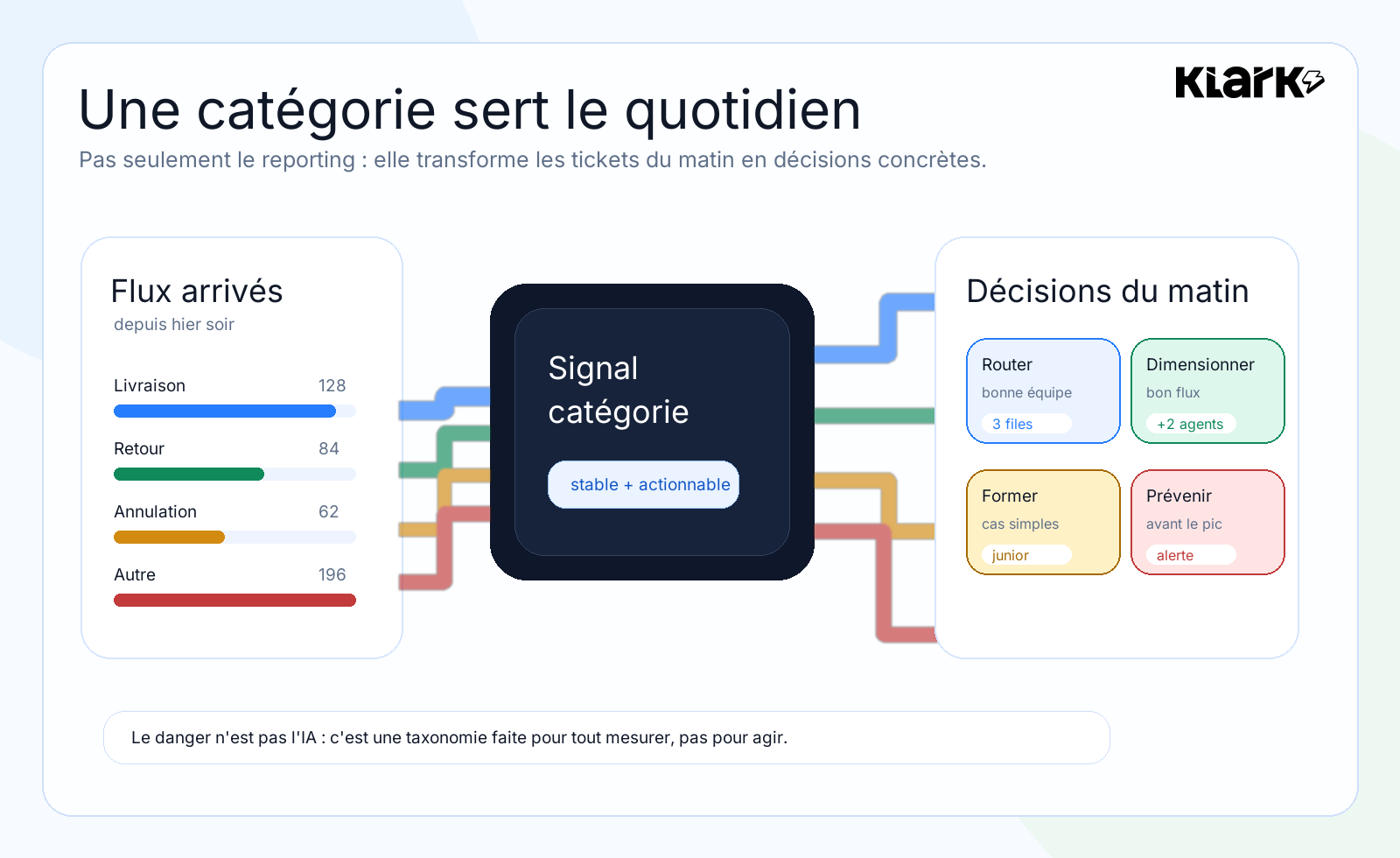
The value becomes apparent very quickly in a support routine.
In the morning, a manager doesn't just need to know how many tickets have come in.
He needs to understand what has changed.
Did a delivery order go haywire overnight?
Should we assign more staff to handle order delays?
Does a carrier incident warrant proactive communication before the queue gets out of hand?
Can simple requests be assigned to someone who is still learning the ropes, while senior agents handle the sensitive cases?
Is a trigger stable enough to activate a macro, a suggestion, a filter, or an automation?
In this context, the category is no longer just a column in a report. It is a key element of our daily work.
• It helps with sorting.
• It helps determine team size.
• It helps with training.
• It helps with prevention.
• It helps with automation only when the data is clean enough.
A recent customer question is a very good one: Do we measure the categorization success rate? In other words, how often does the agent leave the category provided by Klark unchanged?
That's an excellent question.
Because the real issue isn't just: Has a category been pushed?
The real issue is actually:
• Did the officer keep it?
• Did he correct it?
• Are certain categories corrected more often than others?
• Is it Other takes on cases that should be assigned?
• Does the category really enable action?
This kind of metric changes the conversation.
We’re no longer just looking at automated production. We’re looking at operational reliability.
Automation is tempting.
Especially when volumes are rising, simple inquiries are coming in again, and agents are spending too much time repeating the same answers.
But automating a process in a sensitive area is like opening the door too soon.
If you can't clearly distinguish between a cancellation request and a return request, you're not yet ready to automatically decide how to handle these situations.
If spam, automated replies, and internal emails are cluttering up your inbox, you're going to see a lot of noise.
If your agents frequently correct the same category, the system is already telling you something: the category isn't reliable enough yet to be used as a rule.
That’s where the connection to automation gets interesting. A good AI support system shouldn’t just respond faster. It needs to know when not to respond, when to filter out requests, when to escalate an issue, and when to let a human take over.
Self-categorization is one of the indicators that helps distinguish between the two.
At Klark, the point isn't to just add another nice-looking column to an export.
The goal is to make incoming data streams easier to understand and act upon.
First, for support teams: better understand what is happening, address underperforming categories, and reduce uncertainty regarding the reasons.
Next, for managers: identify where the pain points are, where agents are making corrections, and where volumes are actually changing.
Finally, regarding automation: open certain areas only when the signal is clear enough.
That's exactly the order that prevents you from selling a Grand Soir Automatic.
We start with the data. We structure the signal. We verify the reliability. Then we automate whatever can be automated.
Self-categorization is not just a reporting detail.
It is an operational infrastructure layer.
If it's poor, it makes the material difficult to understand. If it's good, it helps you understand, prioritize, filter, and automate more effectively.
You rarely notice the difference in a demo.
It comes into play in difficult situations: Other bloated systems, agents who have to make corrections, overlapping categories, helpdesk fields that don't update, and auto-reply rules that need a reliable trigger.
That's when things get serious.
Reliable automation often starts with a question that’s less flashy but much more useful:
Do our categories really capture what's going on?
Are your support categories actually used for management purposes?
Klark helps support teams organize incoming workflows, ensure the accuracy of issue categories, and apply automation to the right cases.